10 Best Laptops for Cybersecurity Students in 2026
If you’re studying cybersecurity, ethical hacking, or digital forensics, your laptop is your primary weapon. Running virtual machines, penetration testing tools like Kali Linux, Wireshark, Metasploit, or Burp Suite, isn’t something your average consumer laptop was built for. You need raw processing power, generous RAM, fast storage, and a battery that doesn’t die mid-lab session.
The market in 2026 is packed with options , and navigating it without clear guidance is a recipe for wasting money. This guide cuts through the noise and delivers the 10 best laptops for cybersecurity students, covering both high-performance machines and budget-friendly picks that don’t compromise on the essentials.If you are consuse about choosing the right path? Read cybersecurity vs software engineering.
Whether you’re a university student on a tight budget or an aspiring ethical hacker who needs a portable powerhouse, there’s a pick for you here.
What to Look for in a Cybersecurity Laptop
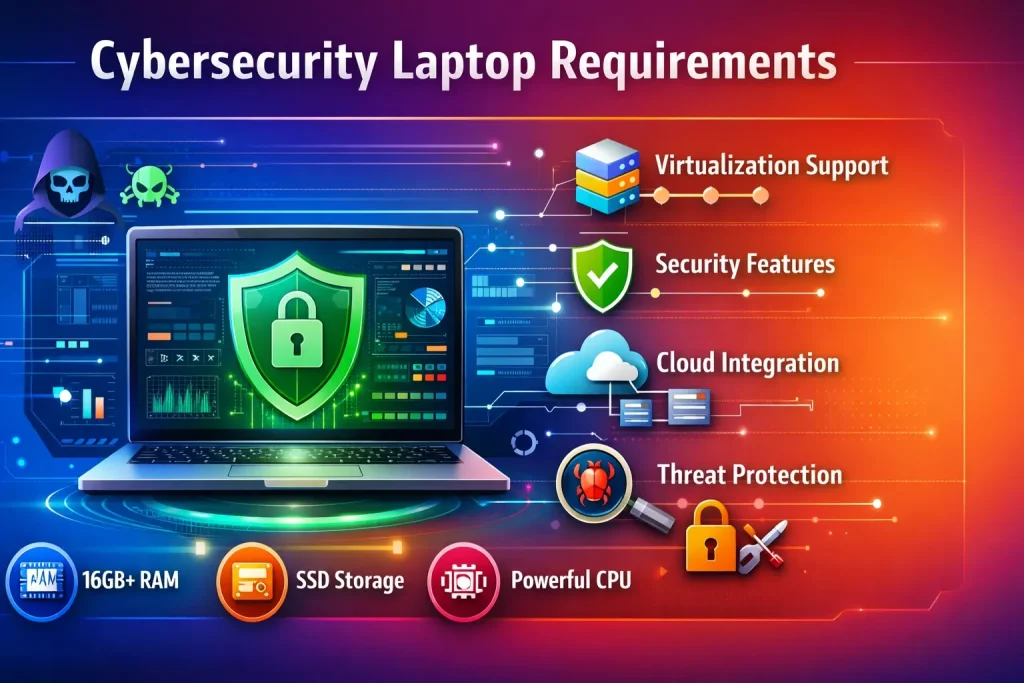
Before diving into the list, let’s quickly cover the non-negotiable specs:
- RAM: Minimum 16GB, ideally 32GB for running multiple VMs simultaneously
- Processor: Intel Core i7/i9 (13th gen or newer) or AMD Ryzen 7/9 — multi-core performance matters
- Storage: 512GB NVMe SSD minimum; 1TB preferred for OS images and forensic data
- Display: Full HD (1920×1080) or higher; IPS panels for accurate color
- Battery: 8+ hours for real-world use — labs don’t always have outlets nearby
- Portability: Under 2kg for daily campus carry
- Virtualization Support: Intel VT-x or AMD-V must be enabled in BIOS
Now, here are the top picks.
1. Lenovo ThinkPad X1 Carbon Gen 12 — Best Overall for Cybersecurity Students
Price Range: $1,400 – $1,800
The ThinkPad X1 Carbon Gen 12 remains a go-to machine for security professionals in 2026. With up to an Intel Core Ultra 7 processor, 32GB LPDDR5 RAM, and a 1TB NVMe SSD, it handles VM-heavy workloads without breaking a sweat.
What sets it apart for cybersecurity specifically is its MIL-SPEC durability, stellar keyboard (critical for long coding and scripting sessions), and rock-solid Linux compatibility. Kali Linux and Ubuntu install cleanly with full driver support — a headache you don’t want to deal with on lesser machines.
Standout Features:
- Up to 15 hours of battery life
- Intel vPro for enterprise-grade security
- Lightweight at just 1.12 kg
- Excellent port selection, including Thunderbolt 4
Best for: Students who need a reliable, professional-grade machine for both coursework and real-world security labs.
2. Apple MacBook Pro 14-inch (M4 Pro) — Best for macOS-Based Security Work
Price Range: $1,999 – $2,499
Yes, macOS is a legitimate platform for cybersecurity work, and the M4 Pro chip makes this MacBook a silent powerhouse. With 24GB unified memory and a 512GB SSD base configuration, it handles Parallels-based virtual machines, terminal-heavy workflows, and network analysis tools with ease.
The M4 Pro’s efficiency cores mean you get 18+ hours of real-world battery life — practically unmatched. If your program leans into macOS-compatible tools or you prefer a UNIX-based environment, this machine justifies its price.
Standout Features:
- ProRes-class display (3024×1964, 120Hz ProMotion)
- Exceptional thermal performance — no throttling under sustained loads
- Native support for tools like Wireshark, Nmap, and Python environments
- Best-in-class build quality
Best for: Students who work in hybrid environments and want a UNIX-based OS without the Linux configuration overhead.
3. ASUS ROG Zephyrus G14 (2026 Edition) — Best Performance-to-Price Ratio
Price Range: $1,200 – $1,600
Don’t let the “gaming” label fool you. The ROG Zephyrus G14 is a legitimate cybersecurity workhorse. Powered by an AMD Ryzen 9 processor with an AMD Radeon GPU, it delivers exceptional multi-threaded performance ideal for cracking exercises, password hashing, and running several VMs in parallel.
The 2026 edition features a 14-inch QHD+ 165Hz display, 32GB DDR5 RAM, and a 1TB SSD. Its compact form factor — surprisingly light for its power class — makes it campus-portable.
Standout Features:
- AMD Ryzen 9 multi-core performance handles heavy virtualization
- 32GB RAM standard on mid-tier configurations
- Runs Kali Linux beautifully in a VM or as a dual-boot
- AniMe Matrix LED lid (optional, but cool for aesthetic flex)
Best for: Students who want desktop-level performance in a portable form and don’t want to spend MacBook money.
4. Dell XPS 15 (2026) — Best Display for Forensics & Analysis Work
Price Range: $1,500 – $2,000
The Dell XPS 15 has earned its reputation as a premium content creation and analysis machine. In 2026, the updated version ships with an Intel Core Ultra 9, up to 64GB of DDR5 RAM, and a stunning 3.5K OLED display. For cybersecurity students who do forensic analysis and need to examine data visually, this display fidelity is a genuine advantage.
Its build quality is exceptional, and the thermals, while not gaming-laptop aggressive, handle sustained workloads well when plugged in.
Standout Features:
- OLED display option (3456×2160) for detailed forensic visualization
- Up to 64GB RAM supports serious multi-VM workloads
- Robust Linux support with Dell’s own Ubuntu certification
- USB-C Thunderbolt 4 charging
Best for: Students focusing on digital forensics, malware analysis, or those who want a premium daily driver that doubles as a security lab.
5. HP Dev One (Refreshed 2026) — Best Linux-Native Laptop
Price Range: $1,099 – $1,299
Built by HP in collaboration with the Linux community, the Dev One ships with Pop!_OS but is fully compatible with Kali Linux, Parrot OS, and any security-focused distribution you prefer. It’s engineered from the ground up to run Linux without driver nightmares.
Powered by an AMD Ryzen 7 Pro processor with 16GB RAM (upgradeable to 32GB), it’s a reliable mid-range option that respects your workflow.
Standout Features:
- Ships with Linux — zero configuration friction
- Upgradeable RAM and SSD (rare in 2026 ultra-thin laptops)
- Great keyboard and trackpad
- AMD hardware virtualization support is built in
Best for: Students committed to a Linux-native workflow who want hassle-free tool compatibility from day one.
6. Lenovo Legion 5i Pro (2026) — Best for Running Multiple VMs Simultaneously
Price Range: $1,300 – $1,700
For students running labs with 3–4 virtual machines simultaneously — think attack machines, targets, and traffic analyzers all running at once — the Legion 5i Pro is purpose-built for that punishment. With up to 32GB DDR5 RAM, Intel Core i9, and an NVIDIA RTX 4060 GPU, this machine doesn’t flinch.
The 16-inch QHD display gives you real estate to manage multiple terminal windows side-by-side, which is more useful than it sounds during a penetration testing lab.
Standout Features:
- Best multi-VM performance under $1,500
- Excellent cooling with dual-fan Coldfront system
- Per-key RGB keyboard (useful for productivity mappings)
- Up to 2TB SSD storage
Best for: Students in intensive lab-heavy programs who regularly run complex network simulation environments.These devices support cybersecurity monitoring tools.
7. Microsoft Surface Laptop 6 — Best for Windows-Focused Security Work
Price Range: $1,299 – $1,599
Not every cybersecurity student is a Linux purist. Many enterprise security roles are Windows-centric — Active Directory, PowerShell, Windows Defender analysis — and the Surface Laptop 6 is the cleanest Windows machine money can buy. With an Intel Core Ultra 5 or Ultra 7, 16–32GB RAM, and a pristine 13.5-inch PixelSense display, it’s polished, fast, and surprisingly capable.
Standout Features:
- Stellar Windows Hello biometric security (face + fingerprint)
- Best-in-class Windows integration for AD and enterprise lab scenarios
- Slim, premium build for professional settings
- Excellent battery: 15+ hours
Best for: Students pursuing enterprise security or Windows administration, or those who need a clean, professional machine for internships and campus use.
8. Acer Nitro V 15 — Best Budget Pick Under $700
Price Range: $599 – $749
Not everyone has a $1,500+ budget, and that’s completely valid. The Acer Nitro V 15 punches well above its price point. With an AMD Ryzen 5 7535HS, 16GB DDR5 RAM, 512GB NVMe SSD, and an NVIDIA RTX 2050, it handles beginner-to-intermediate cybersecurity workloads without complaint.
You can run Kali Linux in VirtualBox, use Wireshark, experiment with basic penetration testing labs, and complete your coursework without running into a hardware wall.
Standout Features:
- Upgradeable RAM (dual SODIMM slots) — future-proof
- USB-A, USB-C, HDMI, and Ethernet ports out of the box
- Solid thermal performance at the price point
- Ideal as a first cybersecurity laptop for beginners
Best for: First-year students or self-learners on a tight budget who need a capable, upgradeable machine without taking out a loan.
9. Framework Laptop 13 (AMD Edition) — Best for Customization & Repairability
Price Range: $849 – $1,149 (configured)
The Framework Laptop 13 is unique: it’s fully modular. You can swap out the RAM, SSD, ports, display, and even the motherboard. For cybersecurity students who want total control over their hardware — and who may need to upgrade over a 3–4 year degree — this matters more than it might seem.
The AMD Ryzen 7840U configuration delivers excellent multi-core performance, Linux runs flawlessly, and the ability to add custom expansion cards (Ethernet, additional USB-A, SD card) makes it incredibly versatile for field work.
Standout Features:
- Fully repairable and upgradeable — designed for longevity
- Outstanding Linux support (Framework maintains its own Linux guides)
- Modular port system adapts to any lab setup
- Ethical hardware choice — supports right-to-repair
Best for: Students who are technically savvy, value hardware control, and want a long-term investment they can evolve over their entire degree.
10. Lenovo IdeaPad Flex 5i — Best 2-in-1 Budget Pick Under $600
Price Range: $499 – $599
For students who want versatility without spending a fortune, the IdeaPad Flex 5i 2-in-1 delivers surprising value. With an Intel Core i5-1335U, 16GB RAM, and 512GB SSD, it handles introductory cybersecurity coursework, Python scripting, basic VM use, and everything in between.
The 360-degree hinge allows tablet mode — useful for reading documentation or taking notes in class. It’s not a powerhouse, but as a secondary machine or a budget starter, it does the job.
Standout Features:
- 2-in-1 form factor for flexibility
- 16GB RAM on a sub-$600 machine
- Decent battery life (up to 10 hours)
- Touchscreen display
Best for: Students on a strict budget who need a reliable, all-around machine for coursework and lighter security labs.
Quick Comparison Table
| Laptop | RAM | Processor | Price Range | Best For |
| ThinkPad X1 Carbon Gen 12 | 32GB | Intel Core Ultra 7 | $1,400–$1,800 | Overall best |
| MacBook Pro 14 (M4 Pro) | 24GB | Apple M4 Pro | $1,999–$2,499 | macOS/UNIX work |
| ASUS ROG Zephyrus G14 | 32GB | AMD Ryzen 9 | $1,200–$1,600 | Performance/value |
| Dell XPS 15 | Up to 64GB | Intel Core Ultra 9 | $1,500–$2,000 | Forensics/display |
| HP Dev One | 16GB | AMD Ryzen 7 Pro | $1,099–$1,299 | Linux-native |
| Lenovo Legion 5i Pro | 32GB | Intel Core i9 | $1,300–$1,700 | Multi-VM labs |
| Surface Laptop 6 | 16–32GB | Intel Core Ultra 7 | $1,299–$1,599 | Windows security |
| Acer Nitro V 15 | 16GB | AMD Ryzen 5 | $599–$749 | Best budget |
| Framework Laptop 13 | Configurable | AMD Ryzen 7 | $849–$1,149 | Customization |
| Lenovo IdeaPad Flex 5i | 16GB | Intel Core i5 | $499–$599 | Budget 2-in-1 |
Final Verdict: Which Cybersecurity Laptop Should You Buy?
There’s no single “best” laptop — it depends on your budget, operating system preference, and the intensity of your coursework.
- Best overall: Lenovo ThinkPad X1 Carbon Gen 12 — professional, durable, and Linux-friendly
- Best performance/value: ASUS ROG Zephyrus G14 — serious power without the Apple price tag
- Best budget pick: Acer Nitro V 15 — capable, upgradeable, and under $750
- Best for Linux purists: HP Dev One or Framework Laptop 13
- Best for power users: Dell XPS 15 or Lenovo Legion 5i Pro
Whatever you choose, prioritize RAM and upgrade potential over everything else. Cybersecurity tools are RAM-hungry by nature, and 16GB should be your floor, not your ceiling.Future outlook: will AI replace cybersecurity jobs.
Ready to Build Your Cybersecurity Lab?
Picking the right laptop is step one. Step two is setting up your environment — install a hypervisor like VirtualBox or VMware, download Kali Linux, and start running your first penetration testing labs. Your hardware is ready. Are you?