
Best Golf Simulator Software for Realistic Indoor Play (2026)
Indoor golf technology has improved dramatically over the last few years. Today, choosing the best golf simulator software is just as important, if not more important, than selecting your launch monitor or hitting mat. A top-tier launch monitor paired with mediocre software produces a frustrating, unrealistic experience. Get the software right, and even a mid-range setup can deliver genuinely tour-quality practice sessions.
This complete guide covers every major platform in 2026 , what each one does well, what it actually costs (including the hidden fees that don’t appear in headline pricing), which launch monitors it supports, and which type of golfer it’s built for. Whether you’re setting up a premium home simulator or outfitting a commercial golf lounge, the information here will help you make the right call.
What Is Golf Simulator Software?
Golf simulator software converts real swing and ball data captured by a launch monitor into a fully playable virtual golf experience. The software performs two core jobs simultaneously: it receives raw shot data from the launch monitor and translates it into a physically accurate ball flight, and it renders a three-dimensional golf course environment that the ball flies through in real time.
The data your launch monitor captures typically includes:
- Ball speed — the velocity of the ball immediately after impact
- Launch angle — the initial vertical angle of the ball’s trajectory
- Spin rate — total backspin and sidespin in revolutions per minute
- Club path and face angle — the direction the clubhead is traveling and where it’s pointing at impact
- Smash factor — the efficiency of energy transfer from club to ball
- Carry distance and total distance — calculated from the physics model
The software’s physics engine then models how these inputs interact with wind, elevation, green firmness, and slope to produce a realistic ball flight and result. Without a high-quality physics engine, even a $20,000 launch monitor will produce shots that feel fake and unreliable.
The launch monitor captures the data. The software decides what to do with it. Both halves matter equally.
What Is the Best Golf Simulator Software in 2026?
There is no single correct answer — the best choice depends on your launch monitor, your goals, your budget, and your hardware. That said, here is a quick-reference breakdown before diving into full reviews:
- Most realistic ball physics + largest home community: GSPro
- Best visuals overall + iPad support: E6 Connect / E6 Apex
- Best graphics for Foresight owners: FSX Play
- Best professional analytics: Trackman TPS
- Best massive course library on a one-time fee: TGC 2019 (offline only)
- Best for families and beginners: Creative Golf 3D or Awesome Golf
- Best free course variety on mobile: Home Tee Hero (Garmin)
Your launch monitor determines your software options more than your budget does. Trackman owners are locked to Trackman TPS. Foresight owners get the best experience from FSX Play. If you own almost any other launch monitor, GSPro is the strongest default choice for serious home use.
In-Depth Software Reviews
1. GSPro — Best for Home Realism & Community Courses
Best For: Home simulator owners who want realistic, competitive golf without enterprise pricing
Platform: Windows PC only
Pricing: Approximately $250 per year
Courses: 2,000+ community-created, LIDAR-scanned courses — growing weekly
GSPro has emerged as the most popular third-party simulator platform among home builders, and for good reason. The physics engine models spin, bounce, rollout, and lip-outs with a level of accuracy that earns consistent praise from serious golfers who play the same real courses outdoors. LIDAR-scanned recreations of Augusta National, Pebble Beach, and St. Andrews exist in the course library. The community course creators add new tracks weekly, and the Simulator Golf Tour (SGT) runs active, well-attended online tournaments throughout the year.

Key Features
- Ultra-realistic ball physics built on the Unity engine — the most praised physics model in the home sim community
- 2,000+ community-created LIDAR-based courses, expanding constantly
- Online multiplayer with up to 8 players: stroke, scramble, stableford, match play, best ball, and alternate shot
- SGT online tournament ecosystem with WEB, AutoPutt, and Pro tour events
- Broadest third-party launch monitor compatibility of any major platform
- OpenAPI documentation, enabling community developers to build extensions
- Operation 36 integration for beginners learning to shoot par from shorter distances
- Shot replay and practice spot mode — pick any location on any hole and practice from there
Limitations
- Windows-only — no Mac, iPad, or mobile support
- Requires a gaming PC with a modern NVIDIA GPU; not playable on budget hardware
- Community course quality varies — the highest-rated courses are excellent, but newer submissions can be inconsistent
- Some launch monitors require additional paid subscriptions on top of GSPro’s fee: Bushnell Launch Pro owners need a $499/year Gold subscription, and Uneekor owners need a $199–$399/year Pro Package
- Does not support swing cameras within the software itself
Launch Monitor Compatibility
GSPro works with FlightScope, Garmin R10/R50, SkyTrak/SkyTrak+, Rapsodo MLM2Pro, Uneekor (with Pro Package), and Foresight/Bushnell (requires FSX 2020 license). It does not work natively with Trackman.
💡 For most home builders, GSPro at $250/year is the strongest default choice. Over three years, $750 total is the best value in the category.
2. E6 Connect / E6 Apex — Best for Visuals, Online Play & iPad Support
Best For: Premium home setups, commercial golf lounges, mixed-skill households
Platform: Windows + iPad (iOS/iPadOS) — the only major platform with iPad support
Pricing: $300–$450/year (Enjoy tier); tiered options from $150/year
Courses: 7,000+ courses including licensed PGA Tour venues (E6 Apex added 7,000+ on-demand in late 2025)
E6 Connect, now expanded as E6 Apex, is widely considered the gold standard for polished, visually impressive golf simulation. It is the go-to software for commercial simulator lounges because of its clean interface, easy onboarding for non-golfers, and multi-sport entertainment modes (including targets, demolition golf, and mini-games that make the space viable for group events and parties).
The late 2025 E6 Apex update added 7,000+ on-demand courses, making it arguably the most content-rich platform available. Its iPad support is unique in the market — no other serious simulator software runs on a tablet, which makes it the best choice for setups that don’t include a dedicated Windows gaming PC.

Key Features
- 4K photorealistic graphics with licensed PGA Tour courses
- 7,000+ on-demand courses added through the E6 Apex expansion in late 2025
- Runs on both Windows and iPad — the only major platform with this flexibility
- Online tournaments, multiplayer modes, and social leaderboards
- VR support for compatible headsets
- Mini-games and entertainment modes for casual players and commercial use
- Swing analysis, practice ranges, and skills challenges
- Cross-platform compatibility with TrackMan, Foresight, SkyTrak, Uneekor, FlightScope, and more
Limitations
- Premium courses and certain content tiers require higher subscription levels
- Full feature access on the Enjoy tier costs $450/year — more expensive than GSPro
- iPad version has some feature restrictions compared to the Windows version
- Some users find the physics slightly less precise than GSPro for competitive putting
Pricing Breakdown
- Lite tier: $150/year — limited course access
- Play tier: $300/year — broader course library and multiplayer
- Enjoy tier: $450/year — full access including E6 Apex courses and premium features
E6 is the right call for households where not everyone is a dedicated golfer — the mini-games, easy UI, and iPad support lower the barrier to entry significantly.
3. FSX Play — Best Graphics for Foresight & Bushnell Owners
Best For: Foresight GC3 or GCQuad owners who prioritize visual quality and coaching analytics
Platform: Windows only — Intel CPU and NVIDIA GPU required (no AMD support)
Pricing: $500 software license + $30–$50 per course; Bushnell owners also pay $499/year Gold subscription
Courses: 300+ photorealistic courses; courses sold individually or in packs
FSX Play delivers the best visual fidelity of any golf simulator software available in 2026. The course rendering, lighting, and environmental detail are genuinely ahead of every other platform. For Foresight GC3 or GCQuad owners running Intel and NVIDIA hardware, it is the natural pairing — the tight hardware-software integration produces a cohesive, fast, and analytically rich experience that is particularly valuable for coaching and club fitting.
The major caveat is the hardware lock-in and the course cost model. FSX Play will not run on AMD GPUs or AMD processors — a hard restriction that eliminates it for a significant share of PC builders. Courses are sold individually at $30–$50 each rather than included in the subscription, meaning a library of 20 courses adds $600–$1,000 on top of the base license. Total cost of ownership climbs quickly.
Key Features
- Best-in-class photorealistic course graphics at any price point
- Deep analytics integration with Foresight hardware — club data, ball data, swing video
- Advanced practice modes, skills challenges, and fitting workflows
- Online multiplayer and competitive play
- Seamless data visualization for coaching environments
Critical Limitations
- Foresight and Bushnell launch monitors only — cannot be used with any other hardware brand
- Does not support AMD GPUs or AMD processors — Intel CPU and NVIDIA GPU required
- Courses are purchased individually at $30–$50 each — no unlimited course bundle at the base price
- Bushnell Launch Pro users must also hold a $499/year Gold subscription to access FSX Play
If you own a Foresight GCQuad or GC3 and are building around Intel/NVIDIA hardware, FSX Play is the right answer. For everyone else, the platform restrictions make it a non-starter.
4. Trackman TPS (Virtual Golf 3) — Best for Professional Analytics
Best For: Professional coaches, commercial studios, and serious competitors with Trackman hardware
Platform: Windows only — requires Trackman 4 or Trackman iO launch monitor
Pricing: Up to $1,100/year for the full Complete tier
Courses: 480+ courses; 70+ rebuilt with the new Virtual Golf 3 engine as of late 2025
Trackman’s Virtual Golf 3, launched in late 2025, set a new standard for golf simulation graphics with LIDAR-scanned courses rendered in a new engine with full environmental controls — time of day, fog, cloud cover, and dynamic weather. The software is purpose-built to work with Trackman launch monitors, which are the most accurate radar systems available at the professional level, used on every major tour.
Trackman TPS is the most expensive simulator software by a significant margin — up to $1,100 per year for the Complete tier. It requires a Trackman 4 or Trackman iO launch monitor (the hardware itself typically costs $15,000–$25,000). This is unambiguously a professional product. The analytics, coaching workflow tools, and tournament infrastructure are unmatched, but the price-to-value ratio makes it unsuitable for recreational home use.
Key Features
- Virtual Golf 3 — new graphics engine with LIDAR-scanned courses, environmental controls, and impact video replays
- Green Grid and Green Reading tools built in
- Professional-grade analytics and coaching dashboard
- Impact video replays on the Complete tier
- Structured online tours and professionally managed tournaments
Limitations
- Trackman launch monitors only — no third-party hardware support
- Up to $1,100/year for full features — the most expensive platform in this guide
- Requires high-spec Windows PC: 32 GB RAM, Intel i7 at 3.4 GHz, NVIDIA RTX 4070 Ti or better, NVMe SSD
- No AMD CPU or GPU support
Trackman TPS is for coaching studios, commercial venues, and professionals. If this is a home setup, the price-to-value ratio does not make sense unless you already own Trackman hardware.
5. TGC 2019 — Best Massive Course Library (Now Offline Only)
Best For: Golfers who want a huge course library at a one-time price — offline play only
Platform: Windows (Steam)
Pricing: Approximately $999 one-time purchase
Courses: 150,000+ community-created courses — the largest library of any platform
TGC 2019 remains relevant in 2026 primarily because of its extraordinary course library. With 150,000+ community-created courses, it has far more playable content than any competing platform. The one-time purchase model also avoids subscription fatigue — $999 paid once compares favorably to years of $250–$450 annual fees.
The critical context: TGC 2019 has been discontinued. Online multiplayer and connected features are no longer supported. The software is not being updated. The graphics engine is visibly aging compared to GSPro and E6 Connect. For offline play — solo rounds, local multiplayer, and course exploration — it still works well. For anything requiring an internet connection, it is no longer a viable option.
Key Features
- 150,000+ community-created courses — the largest library by far
- Robust course designer tools for creating custom courses
- One-time purchase — no ongoing subscription
- Historical multiplayer course society format (offline use only)
Limitations
- Discontinued — no updates, no new features, no online support
- Online play is no longer functional
- Graphics are noticeably dated compared to modern platforms
- Not available for new purchase on many platforms — availability may vary
TGC 2019 is worth considering only if offline solo play and course variety are the primary goals. For anything competitive or online, look elsewhere.
6. Creative Golf 3D — Best for Families and Budget-Conscious Setups
Best For: Casual golfers, families, beginners, and entry-level home setups
Platform: Windows PC — minimum Windows 8 (64-bit), 16 GB RAM, 4 GB VRAM
Pricing: One-time license plus optional course and add-on packs; varies by configuration
Courses: 150+ professional courses; additional courses available as library add-ons
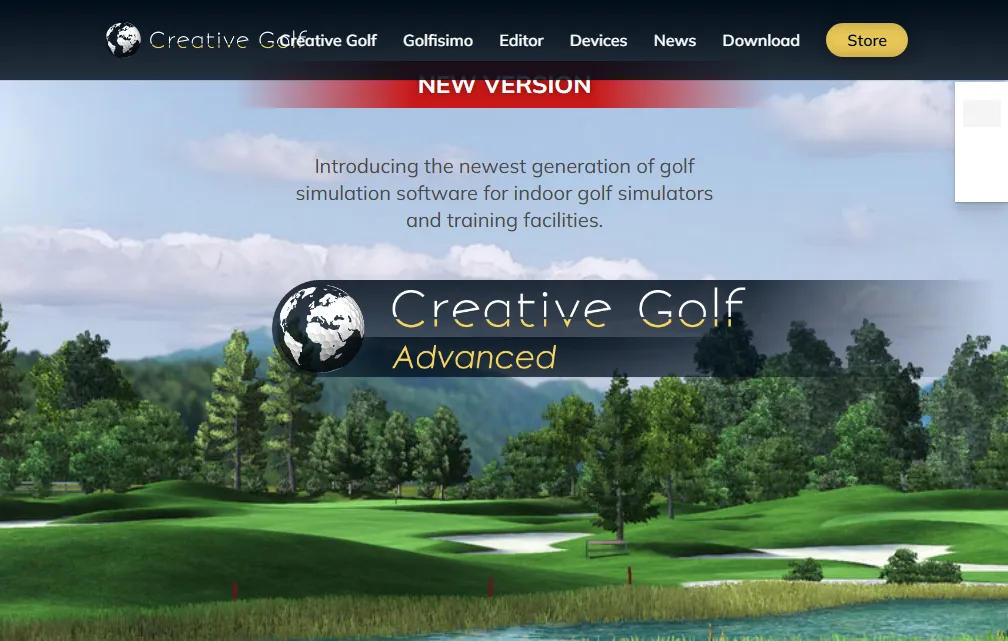
Creative Golf 3D has evolved significantly in its Advanced version, which brought substantially improved graphics and a more modern UI. It is now competitive visually with many other mid-tier options, though still below GSPro and E6 at their best. Where Creative Golf truly excels is in its flexibility and fun factor. Mini-games like Demolition Golf, Fairy Tale Golf, and the Golfisimo add-on pack for children make it the most versatile platform for households where not everyone is a serious golfer.
The lower hardware requirements compared to GSPro and FSX Play make it accessible on older PCs. The one-time purchase model avoids recurring costs. For a garage setup used a few times per week by players of mixed skill levels, Creative Golf 3D offers excellent value.
Key Features
- 150+ courses with the Advanced version, bringing graphics quality close to modern competitors
- Mini-games: Demolition Golf, Fairy Tale Golf, long drive contests, target challenges
- Golfisimo add-on pack for family-friendly and kid-friendly play
- Lower PC hardware requirements — playable on older systems
- Compatible with Garmin, Uneekor, FlightScope, Foresight, and more
- One-time purchase option available
Limitations
- Graphics still trail GSPro and E6 at the highest settings
- The online tournament ecosystem is less developed than GSPro’s SGT
- The physics model does not match GSPro’s precision for competitive practice
💡 If your simulator will be used by the whole family — including non-golfers and kids — Creative Golf 3D is the most sensible choice.
7. Awesome Golf — Best Device Flexibility & Casual Play
Best For: Casual players, families, and setups where device flexibility matters
Platform: Any device, including phones, tablets, and PCs
Pricing: ~$15/month, $159/year, or ~$350 lifetime license
Awesome Golf takes a deliberately different approach to simulator software. Rather than pursuing photorealism, it embraces a colorful, cartoon-style aesthetic and focuses on fun game modes: Super Splash, Boat Blast, target challenges, and other non-traditional experiences that appeal to players who aren’t obsessed with shooting their lowest round. The platform runs on virtually any device — including basic smartphones — which is unique in the category.
It is not the right choice for serious practice or handicap improvement. The physics model is simplified compared to GSPro and E6. But for commercial venues that serve casual groups, parties, and first-time simulator users, Awesome Golf’s accessibility and entertainment modes are genuinely valuable. Compatible with FlightScope, Garmin, Rapsodo, Bushnell, and Foresight monitors.
Key Features
- Runs on any device — phone, tablet, or PC
- Fun, family-friendly mini-games and non-traditional modes
- Lifetime license option at ~$350
- Compatible with multiple launch monitor brands
Limitations
- Physics and realism significantly below GSPro or E6 Connect
- Not suitable for serious handicap improvement or competitive play
- Course library is smaller and less realistic than other platforms
8. Home Tee Hero (Garmin) — Best Mobile Course Variety
Best For: Garmin R10 or R50 owners who want maximum course variety on a mobile-first setup
Platform: iOS and Android
Pricing: Included with the Garmin launch monitor or via subscription
Courses: 43,000+ preloaded courses — the largest official course library in the industry
Home Tee Hero is Garmin’s mobile simulator app, and the 2026 update made it significantly better. The headline feature is the course library: 43,000 preloaded courses. If there is a golf course in the world, there is a good chance Home Tee Hero has it. For Garmin R10 or R50 owners who want to play a round on their home course or a course they’ll be visiting, this is unbeatable.
The tradeoff is the mobile-first nature of the platform. Graphics and physics do not match desktop-based simulators, and the full experience requires pairing with a projector or screen for a true simulator feel. For the price point of the Garmin hardware and the breadth of content, however, Home Tee Hero represents outstanding value.
Key Features
- 43,000+ preloaded real-world courses — by far the largest official library
- Multiplayer, online rounds, and social features
- Runs entirely on iPhone or iPad — no PC required
- Regular updates and a growing feature set
Limitations
- Garmin R10 or R50 only — no compatibility with other launch monitors
- Graphics and physics below desktop-based platforms
- Mobile-first design limits some simulator setup configurations
Complete Comparison: Best Golf Simulator Software 2026
| Software | Realism | Courses | Pricing | Platform | Online | Compatibility |
|---|---|---|---|---|---|---|
| GSPro | ⭐⭐⭐⭐⭐ | 2,000+ | $250/yr | Windows PC | Yes | Broadest |
| E6 Connect / Apex | ⭐⭐⭐⭐⭐ | 7,000+ | $300–$450/yr | Windows + iPad | Yes | Excellent |
| FSX Play | ⭐⭐⭐⭐⭐ | 300+ | $500 + per course | Windows (Intel/NVDIA) | Yes | Foresight/Bushnell only |
| Trackman TPS | ⭐⭐⭐⭐⭐ | 480+ | Up to $1,100/yr | Windows | Yes | Trackman only |
| TGC 2019 | ⭐⭐⭐⭐ | 150,000+ | ~$999 one-time | Windows (Steam) | No | Most monitors |
| Creative Golf 3D | ⭐⭐⭐⭐ | 150+ | One-time / sub | Windows | Limited | Most monitors |
| Awesome Golf | ⭐⭐⭐ | Varies | $159/yr or ~$350 LT | Any device | Yes | Most monitors |
| Home Tee Hero | ⭐⭐⭐ | 43,000+ | Garmin bundle | iOS/Android | Yes | Garmin only |
Note: Compatibility varies by launch monitor tier and subscription level. Always verify with the software vendor before purchasing, as requirements change.
True Cost Analysis: 3-Year Pricing Comparison
Subscription software looks affordable at first glance, but compounds over time. The table below models a three-year ownership window — the most useful planning horizon for a home simulator build. These figures reflect base pricing only; course packs, required launch monitor subscriptions, and PC upgrade costs are not included.
| Software | Annual Cost | 3-Year Total | Best For |
|---|---|---|---|
| GSPro | $250/yr | $750 | Best value overall |
| E6 Connect (Enjoy) | $450/yr | $1,350 | Best for iPad/mixed use |
| FSX Play | $500+/yr | $1,500+ | Best visuals, Foresight only |
| Trackman TPS | $700–$1,100/yr | $2,100+ | Pro analytics, Trackman only |
| TGC 2019 | $999 one-time | $999 | Discontinued, no updates |
| Creative Golf 3D | One-time + add-ons | $300–$600 | Best for families |
| Awesome Golf | $350 lifetime | $350 | Best device flexibility |
Important: Some launch monitors require their own subscription tier to unlock third-party software access. For example, Bushnell Launch Pro users must hold a $499/year Gold subscription to access GSPro or FSX Play. Uneekor users require a $199–$399/year Pro Package for GSPro access. Always calculate the total ecosystem cost — not just the software line item.
Launch Monitor Compatibility Guide
Your launch monitor determines your software options more than your budget does. This is the most important compatibility consideration in the entire buying process.
Trackman (4 and iO)
- Native: Trackman TPS / Virtual Golf 3
- Third-party: Limited; most Trackman owners stay native
- Key note: Trackman TPS is the only supported platform for full feature access
Foresight Sports (GCQuad, GC3, GCHawk) and Bushnell Launch Pro
- Native: FSX Play, FSX 2020
- Third-party (requires FSX 2020 license): GSPro, Awesome Golf, and others
- Key note: Bushnell Launch Pro users must also hold a $499/year Gold subscription for third-party access
Uneekor (EYE XO2, EYE MINI, EYE XO)
- Broad compatibility: GSPro, E6 Connect, TGC 2019, Creative Golf 3D
- Requires an active Uneekor Pro Package ($199–$399/year) for third-party software
- Native: Uneekor VIEW and Refine practice software
FlightScope (Mevo+, Mevo Gen2)
- Broad compatibility: E6 Connect, Creative Golf 3D, Awesome Golf, TGC 2019
- GSPro supported via FlightScope’s bridge
Garmin (R10, R50)
- Native: Home Tee Hero
- Third-party: E6 Connect (limited iOS), GSPro (with compatible tier), Awesome Golf, Creative Golf 3D
SkyTrak / SkyTrak+
- Historically compatible with TGC 2019 and E6 Connect, third-party support has had changes over time
- Key note: Verify current compatibility directly with SkyTrak before purchasing software licenses
💡 Plan your software before you buy your launch monitor. The hardware decision constrains the software decision more than any other factor.
PC Hardware Requirements by Platform
Most serious simulator software requires a Windows gaming PC. The table below summarizes recommended hardware by resolution target and which software platforms are achievable at each tier. These specs are based on 2026 platform requirements.
| Target | GPU | CPU | RAM | Storage | Software Supported |
|---|---|---|---|---|---|
| 1080p / entry | RTX 5060 / GTX 1660 Super | Intel i5 12th Gen | 16 GB DDR4/DDR5 | 1 TB NVMe | GSPro, E6, TGC 2019, Awesome Golf |
| 1440p / mid | RTX 3060 Ti / RTX 4060 | Intel i5/i7 12th+ | 16–32 GB DDR5 | 1 TB NVMe | GSPro 4K, E6, FSX Play |
| 4K / high-end | RTX 4070 Ti / RTX 5070+ | Intel i7/i9 13th+ | 32 GB DDR5 | 2 TB NVMe | All platforms including Trackman TPS |
Critical Platform-Specific Notes
- FSX Play and Trackman TPS require Intel CPUs — AMD processors are not supported by either platform
- FSX Play and Trackman also require NVIDIA GPUs — AMD graphics cards are explicitly unsupported
- If you may ever run FSX Play or Trackman, build around Intel and NVIDIA from the start
- Trackman requires 32 GB RAM as a minimum spec — 16 GB will not run it
- GSPro’s official docs list higher specs for laptop GPUs — a laptop RTX 4070 is not equivalent to a desktop RTX 4070
- 4K gaming is four times the pixel count of 1080p — plan GPU accordingly
How to Choose the Right Golf Simulator Software
Choosing software is a decision tree, not a preference exercise. Work through these questions in order.
Step 1: Start With Your Launch Monitor
Your launch monitor may already have decided for you. If you own Trackman hardware, TPS is your platform. If you own Foresight or Bushnell hardware, FSX Play is your native solution and the right default. If you own almost anything else, you have real choice — proceed to Step 2.
Step 2: Define Your Primary Use Case
- Serious practice and handicap improvement → GSPro, FSX Play, or Trackman TPS
- Playing courses with friends and family → E6 Connect, Creative Golf 3D, or Awesome Golf
- Commercial venue or golf lounge → E6 Connect or Trackman TPS
- Coaching and club fitting → FSX Play or Trackman TPS
- Budget-first home setup → Creative Golf 3D or Awesome Golf
- Maximum course variety → TGC 2019 (offline) or Home Tee Hero (Garmin)
Step 3: Check Your PC Specs
Most serious simulator software will not run on a budget office computer or a phone. GSPro, E6 Connect, and FSX Play require a gaming PC with a modern discrete GPU. If you do not already have a gaming PC, factor $800–$1,500 into the total cost of your setup. If you want to avoid a Windows gaming PC entirely, E6 Connect on iPad is currently the only viable path to a serious simulator experience without one.
Step 4: Calculate Total Cost Over Three Years
Multiply annual subscriptions by three. Add any required launch monitor subscription tiers that unlock software access. Add course pack costs if applicable (FSX Play). Add the PC if needed. The total cost of a supposedly budget-friendly option often exceeds that of a premium one over a three-year window.
Step 5: Test Before You Commit
Most platforms offer free trials, demo access, or refund windows. GSPro offers a seven-day refund window (minus a $15 processing fee). E6 Connect has trial access through many launch monitor partners. Use your actual launch monitor with the actual software before committing financially — compatibility issues and feel differences are much easier to discover in a trial than to resolve after purchase.
Best Golf Simulator Software by User Type
For the Serious Home Golfer
GSPro is the recommendation for the majority of dedicated home builders. The physics engine is the most praised in the community, the 2,000+ LIDAR-based course library covers virtually every course you’d want to play, and the Simulator Golf Tour provides a competitive online environment with structured tournaments. At $250/year, it delivers better value than any competing platform over a multi-year window. The requirement for a Windows gaming PC and the Windows-only limitation are the main constraints.
For the Golf Coach or Fitting Studio
FSX Play for Foresight hardware owners, or Trackman TPS for Trackman studios. Both platforms are purpose-built for analytical workflows — club data visualization, ball flight analysis, session recording, and coaching tools are tighter and more professionally integrated than in any third-party alternative. The higher cost is justified by the professional use case.
For the Commercial Golf Lounge
E6 Connect is the standard choice for commercial venues. Its polished interface, mini-games, multiplayer modes, and licensed PGA Tour courses make it appealing to a broad range of customers — serious golfers and first-timers alike. The iPad support is particularly valuable for venues that want a clean, appliance-like setup without a gaming PC at every bay.
For Families and Casual Players
Creative Golf 3D and Awesome Golf both serve this segment well. Creative Golf’s Golfisimo add-on and Demolition Golf mode make it genuinely enjoyable for children. Awesome Golf’s cartoon aesthetic and target game modes lower the barrier further. Neither platform is right for serious handicap improvement, but for entertainment-focused setups, both are more appropriate than GSPro or E6.
For the Budget-Constrained Beginner
If you own a Garmin R10 or R50 and want to explore simulator golf without investing in a Windows gaming PC, Home Tee Hero on an iPad or iPhone with a basic projector is the lowest-cost entry point into a meaningful simulator experience. The 43,000-course library means you will never run out of content. Graphics and physics are not competitive with desktop platforms, but for a first simulator setup, the experience is genuinely enjoyable.
Is There Truly Free Golf Simulator Software?
Many people search for free golf simulator software, and the reality requires some nuance. Most high-quality platforms operate on paid subscription or licensing models. Here is an honest breakdown:
What Is Actually Free
- Driving range modes — most launch monitors ship with a basic free driving range app that displays shot data
- Trial versions — E6 Connect, GSPro, and others offer limited-time demos or trial access
- Home Tee Hero basic access — included with Garmin launch monitors at no additional software cost
- Some basic mobile apps — limited to driving range data and ball flight visualization
What Free Software Cannot Do
- Full 18-hole course play with realistic physics on a major platform
- Online tournaments and competitive multiplayer
- Advanced practice modes and coaching analytics
- 4K course rendering and professional-quality graphics
The bottom line: if performance improvement is the goal, free software will not deliver a meaningful practice experience. The combination of a mid-range launch monitor and a $250/year GSPro subscription is the entry point for a genuinely useful home simulator.
Common Mistakes When Choosing Simulator Software
- Choosing software before the launch monitor: Your hardware determines your options. Always verify compatibility before purchasing a software license.
- Ignoring total ecosystem cost: The software line item is rarely the only cost. Launch monitor subscription tiers, course packs, and PC hardware all add to the real total.
- Assuming the most expensive option is the best: Trackman TPS at $1,100/year and FSX Play at $500+ are professional products designed for professional environments. For home use, GSPro delivers comparable — and in some ways superior — gameplay at less than a quarter of the cost.
- Overlooking platform exclusivity: AMD GPU owners cannot run FSX Play or Trackman TPS. Mac users have very limited options. iPad-only users are limited to E6 Connect. Know your hardware before committing.
- Not testing compatibility: Run your launch monitor with your chosen software before the return window closes. Data transfer issues, API compatibility, and feel differences are impossible to evaluate without a live test.
- Underestimating PC requirements: Budget office computers and older laptops will not run GSPro, E6, or FSX Play properly. Factor PC hardware into the total budget.
The Future of Golf Simulator Software
The technology continues to advance at a meaningful pace. Several developments worth watching in 2026 and beyond:
- AI coaching integration: Uneekor’s AIMY AI coaching feature, announced at the 2026 PGA Show, will add real-time swing analysis and personalized improvement plans to its native software. Similar AI-powered feedback systems are likely to emerge across other platforms.
- Improved graphics engines: Trackman’s Virtual Golf 3 set a new visual standard in late 2025. Expect other platforms to upgrade their rendering engines in response.
- Broader device support: The market is gradually moving toward more device-flexible platforms. E6 Connect’s iPad support is currently unique, but expect more platforms to support non-Windows environments.
- Community course quality improvements: LIDAR-scanning tools are becoming more accessible. The quality floor for community-created courses in platforms like GSPro will continue to rise.
- Expanded analytics for home users: Features that were previously limited to professional coaching environments — club path visualization, 3D swing modeling, impact position analysis — are increasingly appearing in consumer-grade software.
Conclusion: Choosing the Best Golf Simulator Software in 2026
The right golf simulator software is the one that matches your launch monitor, runs on your hardware, fits your budget over multiple years, and serves the way you actually intend to use your simulator. That combination is different for every buyer.
For most serious home builders, GSPro at $250/year is the right answer. Its physics engine is the most praised in the community, its LIDAR-based course library is deep and growing, and its price advantage over three to five years is significant. If you own Foresight hardware and want the best visuals with tightly integrated analytics, FSX Play is the natural choice despite its higher cost. If you’re setting up a commercial venue or need iPad support for a simpler setup, E6 Connect / E6 Apex covers both needs. And if you’re building a family entertainment space rather than a serious practice environment, Creative Golf 3D or Awesome Golf will serve those users better than any platform built for competitive golfers.
Start with your launch monitor. Confirm compatibility. Calculate the three-year total cost, including all required tiers and add-ons. Test the platform with your hardware before committing. Then build your simulator around the software that fits your actual goals — not the one with the biggest marketing budget.
Indoor golf technology continues to evolve rapidly. Software is at the heart of that experience. Choose wisely, and your simulator becomes one of the most powerful tools for lowering your handicap and enjoying the game year-round. Also, explore the best clipping software tools.


